A dead laptop and a dead storage drive are not the same fault
The laptop needs power, firmware, memory, display and other hardware to start. Your files live on a separate storage device or, in some compact models, flash storage integrated with the main board. A failed charger, battery, charging port, power circuit or display can stop normal startup while the storage remains intact.
The opposite is also possible: the laptop may power on, but the SSD or hard drive is not readable. Recovery decisions therefore begin by separating the computer fault from the storage fault. Turning the laptop on repeatedly does not answer that safely when there has been liquid, burning, impact or abnormal drive noise.
Before assessment, write down the last normal use, the failure event, any message shown, whether the laptop was dropped or wet, and whether the files exist anywhere else.
The storage design determines the available routes
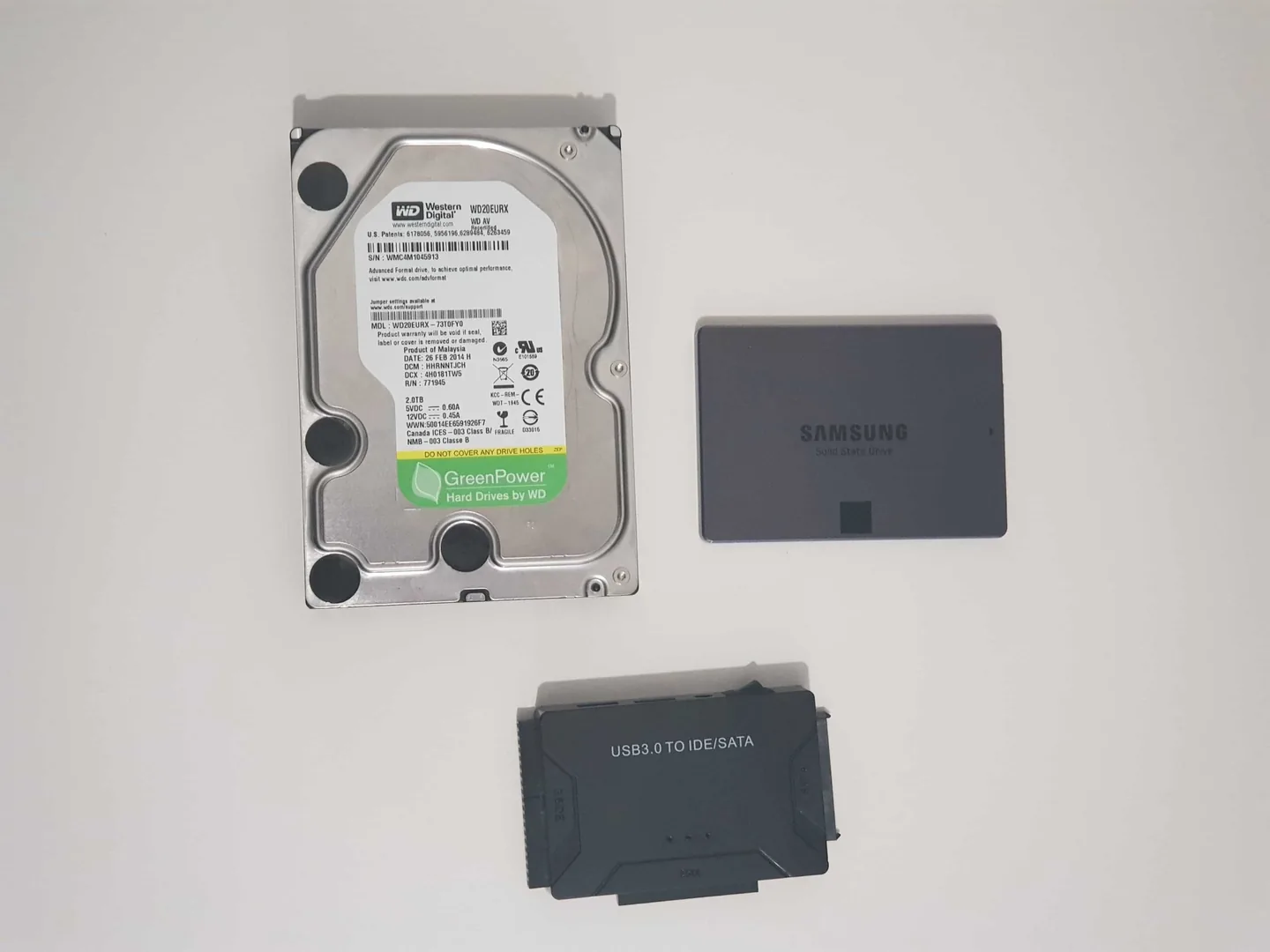
Removable 2.5-inch HDD or SSD
The drive can often be assessed separately, provided removal is safe and encryption requirements are understood.
Removable M.2 SSD
NVMe and SATA M.2 drives look similar but need compatible interfaces, enclosures and systems.
Soldered storage
Some thin laptops and many modern devices integrate storage with the board, making board functionality part of the recovery path.
Encrypted storage
Physical access to the drive is not enough without the correct password, recovery key or working security context.
Do not buy an enclosure from the connector shape alone. M.2 is a form factor, not one universal electrical interface. A wrong enclosure simply may not detect the drive; careless handling can also damage small components or connectors.
BitLocker and device encryption can be the deciding factor
Windows device encryption or BitLocker can protect the data even when the storage is removed. Microsoft states that a BitLocker recovery key is a 48-digit number used when Windows cannot automatically unlock the encrypted drive. It may be stored in a Microsoft account, work or school account, printed copy, text file or USB device, depending on how encryption was configured.
Check for the key before authorising a reset, main-board replacement or storage removal. A repair shop cannot manufacture a missing encryption key, and Microsoft says it cannot retrieve or recreate one that has been lost.
For a business or school laptop, contact the organisation’s IT administrator before removing storage or sending the device elsewhere. Ownership, access authority, data protection and chain-of-custody requirements can matter as much as the technical fault.
Safe first steps before the laptop is opened
- Check cloud storage, email, another computer, phone backups and external drives for existing copies.
- Record the exact model and whether any indicator lights, beeps, fan movement or screen activity occur.
- Bring the correct charger. Do not experiment with an adapter unless voltage, polarity, connector and power specification are correct.
- If the laptop was wet, disconnect external power and stop trying to start it. Do not use heat, rice or a hairdryer.
- If the battery is swollen, the casing is lifting or the laptop becomes hot while off, stop using and charging it.
- If a mechanical drive clicks or grinds, do not keep powering the laptop to attempt one more copy.
A simple screen failure can make a laptop look dead. Conversely, lights and fan movement do not prove the storage is healthy. The diagnosis should follow the evidence rather than the most visible symptom.
Possible recovery routes
| Condition | Possible route | Main limitation |
|---|---|---|
| Laptop power fault, healthy removable drive | Repair laptop or assess drive through a compatible system | Encryption and interface compatibility |
| Broken screen, laptop otherwise starts | External display, screen repair or controlled file copy | Login and encryption still apply |
| Healthy removable drive with BitLocker | Unlock using the correct recovery key | No key may mean no access |
| Soldered storage, board will not start | Board-level recovery path or specialist work | Design, damage and encryption |
| Clicking mechanical drive | Specialist physical-drive assessment | Further power attempts can add risk |
| Liquid-damaged laptop and unstable storage | Stabilise and prioritise the storage/data path | Corrosion and electrical damage can progress |
No table can promise a result. File-system damage, SSD controller failure, overwritten data, failed flash memory and missing encryption credentials can limit recovery even when the laptop itself is repairable.
Should the laptop be repaired first or should the data come first?
Prioritise the files when they are irreplaceable, not backed up or needed urgently. A full laptop repair may be unnecessary if the storage is independently accessible and the only goal is to retrieve data. Conversely, restoring minimal board or power functionality may be the safest path on a device with soldered encrypted storage.
Prioritise routine repair when the data is already verified elsewhere and the laptop is worth returning to service. Even then, storage health should be checked before Windows is reset or reinstalled.
Tell the technician your priority explicitly. “Make the laptop work” and “recover the only copy of my accounts” are different jobs and can justify a different order of operations.
Actions that can make recovery harder
- Repeatedly pressing power after liquid, smoke, burning smell or sudden electrical failure.
- Opening a sealed mechanical hard drive outside a suitable specialist environment.
- Resetting or reinstalling Windows before files are protected.
- Initialising, formatting or repartitioning storage that appears unreadable.
- Saving recovered files back onto the same affected drive.
- Guessing a BitLocker key or discarding the Microsoft/work account that may hold it.
- Removing soldered or security-bound storage without understanding the device architecture.
There is no universal “plug it into another computer” solution. The drive type, encryption, storage health and original fault must all be considered.
How a dead-laptop data assessment is handled
- Confirm ownership, data priority, failure history and any existing backup.
- Inspect for liquid, impact, battery swelling, electrical damage and abnormal storage noise.
- Identify the exact storage type, interface and encryption state.
- Test external power and the laptop’s startup behaviour without blindly replacing parts.
- Assess whether the storage can be approached independently or whether controlled laptop/board functionality is required.
- Use a separate healthy destination for recovered data and verify critical folders.
- Explain the limits, repair options and quote before chargeable work proceeds.
This approach avoids dismantling or writing to storage before the recovery objective is clear.
Recovering files from a non-starting laptop in Birmingham
PC Repair Guru offers data recovery assessment in Birmingham and laptop fault diagnosis from the appointment-only Small Heath workshop. Bring the charger, any BitLocker recovery information and a separate drive if you already have a preferred destination for recovered files.
For a completely dead machine, the computer will not turn on guide explains safe external checks. For a powered laptop with a blank panel, use the black-screen guide.
No recovery percentage or result is promised before the storage and encryption state are assessed.
If your first priority is identifying why the machine is dead, our laptop won't turn on guide separates charger, battery, charging-port, display and internal power symptoms before repair.
Readable storage may still be encrypted. Our BitLocker recovery-key checks explain where an authorised owner can look for the key before any reset is considered.
Frequently asked questions
Can files be recovered if my laptop has no power at all?
Often they can if the storage device remains healthy and accessible, but the route depends on whether it is removable, soldered, encrypted or damaged by the same fault.
Do I need to repair the whole laptop to recover the data?
Not always. A healthy removable drive may be assessed separately. Soldered or security-bound storage can require enough of the original board to function before the data can be accessed.
Will removing the SSD bypass my Windows password or BitLocker?
No. Encryption continues to protect the data. A BitLocker-protected drive normally requires the correct password or 48-digit recovery key.
Can data be recovered after liquid damage?
Sometimes, but power should be disconnected and repeated startup attempts avoided. Success depends on corrosion, electrical damage, storage design, encryption and whether the storage itself has failed.
Can data be recovered from a laptop with a broken screen?
Often the laptop can be tested through an external display or the storage can be assessed separately, provided the device is otherwise stable and access credentials are available.
Does PC Repair Guru recover data from dead laptops in Birmingham?
We assess the laptop and storage path, explain whether routine extraction, laptop repair or specialist recovery is appropriate, and quote before chargeable work.
Official technical references
These manufacturer and operating-system references support the safe diagnostic principles in this guide. Model-specific procedures can differ, so the correct service manual or support page should be checked before internal work.