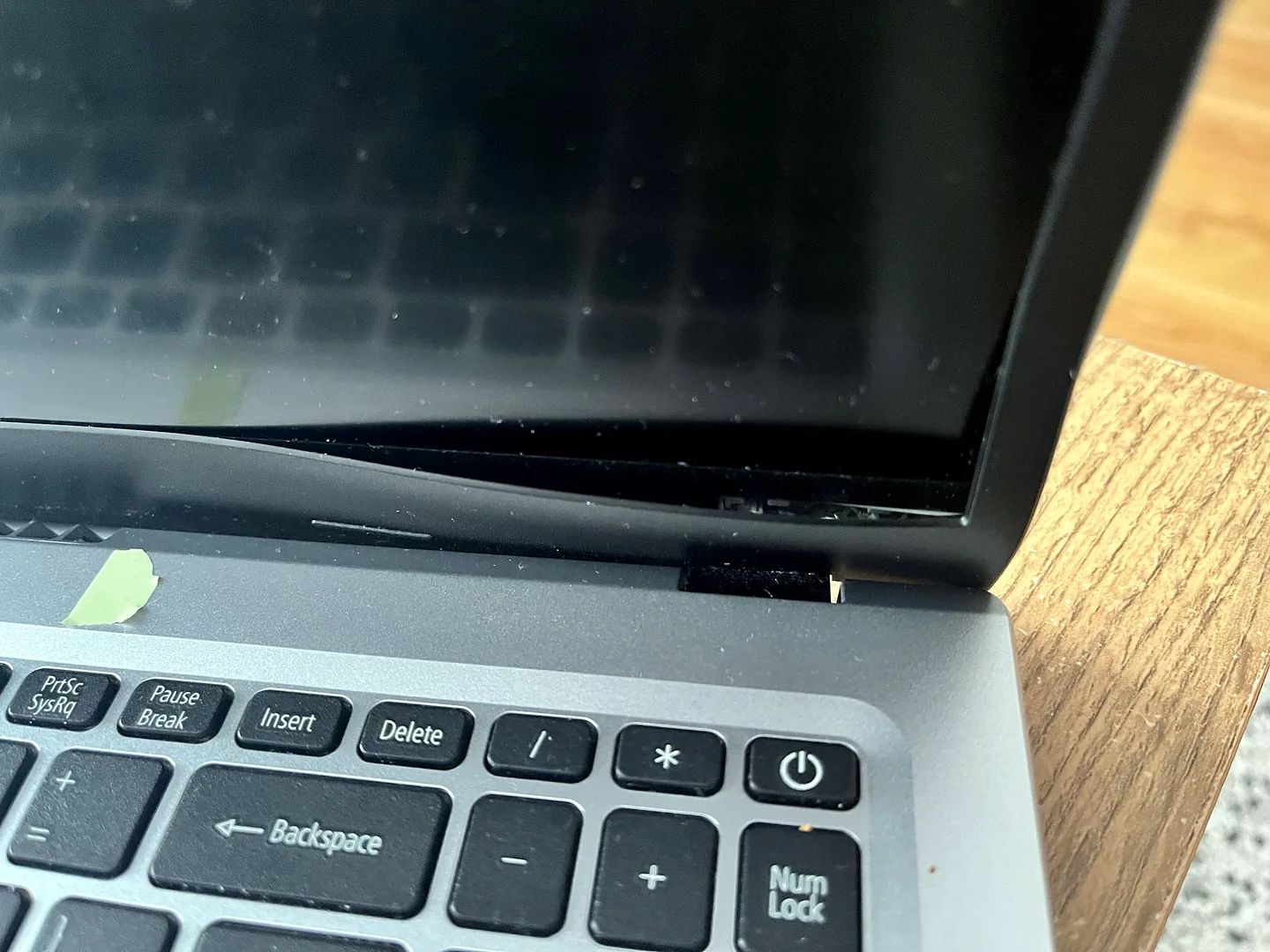
A “broken hinge” can mean several different failures
The visible metal hinge is only one part of the structure. Laptop hinges are fixed to the display lid and the lower chassis through screws, brackets and mounting points. The repair depends on which part has failed.
Hinge mechanism
The metal hinge is bent, seized, cracked or excessively loose.
Lid or rear cover
The screw mounts have pulled out of the display back cover, causing the corner or bezel to separate.
Palm rest or base
The hinge mounts have broken away from the keyboard deck or lower chassis.
Bezel or hinge cap
The trim around the display is cracked or lifting, while the LCD panel itself may still be intact.
A repair may involve one or several of these parts. Replacing only the metal hinge will not solve broken mounting points, and replacing the screen will not repair a damaged base.
When can the existing screen be reused?
The LCD panel can often stay when:
- There is no crack, black blotch or physical pressure mark.
- The image is stable with no flicker, lines or intermittent blackout.
- The panel has not twisted or separated from its frame.
- The display cable and connector remain undamaged.
- The exact model allows the hinge, back cover or bezel to be serviced separately.
In that situation, the repair may focus on the hinge, casing and mounts. The screen still needs careful removal or support during the job, because the display cable and panel are vulnerable when the lid is dismantled.
When is screen replacement part of the hinge repair?
A new screen or display assembly may be needed when:
- The LCD panel is cracked, blackened or physically distorted.
- The lid has bent enough to damage the panel.
- The display cable has been pulled and damage has reached the panel connector.
- The laptop uses a display assembly that is not designed to be separated into individual parts.
- A touchscreen or bonded display is integrated with the lid assembly.
- Parts availability makes a complete assembly more reliable than rebuilding several damaged pieces.
Dell service manuals illustrate both designs. Some models list the display hinges, panel, bezel and cable as separate service parts. Other models use a hinge-up display assembly that cannot be further disassembled, so the entire display assembly must be replaced when one of its integrated parts fails.
If the panel itself is damaged, see our laptop screen repair service in Birmingham.
Signs hinge damage is getting worse
- The lid becomes unusually stiff or makes a cracking sound.
- The screen wobbles or no longer stays at the chosen angle.
- The bezel lifts away from the display.
- The palm rest or base separates when the lid moves.
- A crack spreads from the hinge corner.
- Screws or small plastic pieces appear near the hinge.
- The screen flickers, shows lines or goes black when the lid moves.
- The webcam, Wi-Fi or display behaviour changes as the lid is moved.
Stop opening and closing the laptop repeatedly. Continued movement can turn a casing repair into a cable, screen or complete display-assembly repair.
A damaged hinge can affect the display cable
The display cable commonly runs through or close to the hinge area. When the lid separates from the base, the cable can be stretched, pinched or cut. Symptoms can include flickering, coloured lines, a black internal display, image loss at certain lid angles or a camera that stops working.
A damaged cable does not automatically mean the LCD panel needs replacement. The cable may be a separate service part. Use our laptop black-screen diagnosis guide when the image problem changes as the lid moves.
Why the exact laptop model changes the repair
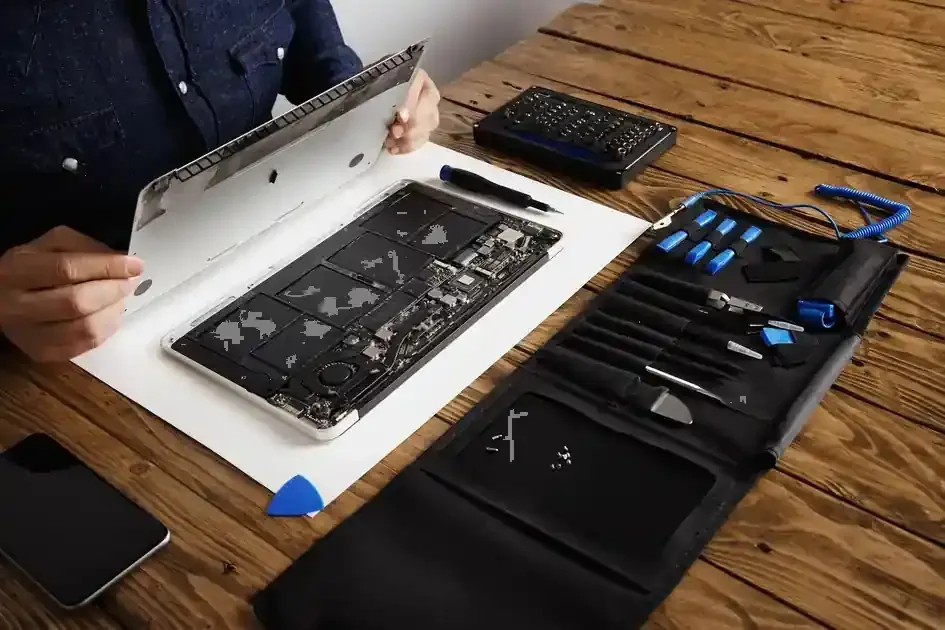
Two laptops that look similar can use very different hinge assemblies. Model-specific service manuals may require removal of the battery, wireless card, display assembly, bezel, hinges and display cable in a precise order. Some 2-in-1 and touchscreen models use more complex or bonded assemblies.
Provide the full model number from the base label or BIOS. The product family alone may not identify the correct hinge, lid, bezel, cable or palm-rest revision.
What to do before the laptop is repaired
- Minimise lid movement. Leave the screen at a safe angle rather than opening and closing it repeatedly.
- Do not force resistance. If the lid stops or the casing starts to separate, stop moving it.
- Back up important files. Do this while the laptop still starts normally.
- Carry it closed and supported. Use both hands under the base. Do not lift the laptop by the screen.
- Photograph the damage. Take clear pictures of both hinge corners with the lid open and closed.
- Record display symptoms. Note flicker, lines, blackouts or changes at different lid angles.
- Send the exact model. This helps confirm part availability before a visit.
What not to do with a broken hinge
- Do not keep opening and closing the lid to test it.
- Do not force a stiff hinge past resistance.
- Do not hold the casing together while moving the lid.
- Do not lift or carry the laptop by the screen.
- Do not put household glue into the hinge area.
- Do not drive longer screws into the casing without knowing what is underneath.
- Do not remove a bonded screen or battery without the correct service procedure.
HP advises against inexperienced screen replacement because improper work can cause further damage. Dell manuals also mark many display and hinge procedures as technician tasks.
Can the hinge be repaired without replacing the screen?
| What you find | Likely repair route |
|---|---|
| Screen works normally; hinge mount has broken from casing | Repair or replace the hinge mount, lid, palm rest or base; reuse the panel if safe |
| Metal hinge is bent or seized; casing is intact | Replace or service the hinge assembly; inspect mounting points |
| Bezel is cracked but LCD image is normal | Replace bezel or trim and repair the hinge structure |
| Screen flickers only when lid moves | Inspect display cable and connectors before replacing the panel |
| LCD is cracked or has black pressure damage | Screen replacement is likely alongside the hinge repair |
| Rear lid is split around hinge screws | Replace or structurally repair the display back cover |
| Model uses a non-serviceable display assembly | Replace the complete display assembly if the integrated hinge has failed |
How we assess a broken laptop hinge
- Identify the exact model. We check the model and display configuration before parts are suggested.
- Inspect both hinge sides. One visible break can hide stress on the opposite side.
- Check the lid and base. Mounting posts, screw points, palm rest, base and rear display cover are examined.
- Check the display. The panel, cable, camera and image stability are tested.
- Check hinge movement. We identify stiffness, misalignment, bending or seizure.
- Choose repair versus replacement parts. The safest route may be a hinge, casing panel, cable, bezel or complete display assembly.
- Test after repair. Lid movement, alignment, display output, camera and wireless behaviour are checked as relevant.
What affects laptop hinge repair cost?
The quotation depends on the exact model, which structural parts are damaged, whether the screen and cable remain usable, how far the laptop must be dismantled, part availability and whether a bonded or complete display assembly is required.
For a detailed breakdown, read our laptop hinge repair cost guide. If the panel is damaged too, the laptop screen repair cost guide explains the additional factors.
Is it worth repairing the hinge?
A hinge repair is often worthwhile when the laptop performs well and the damage is limited to replaceable structural parts. Consider the age, specification, screen condition, battery, charging port and total quote. A repair becomes less attractive when several expensive assemblies are damaged or suitable parts are unavailable.
Do not judge the repair from the visible crack alone. A small external crack can hide failed mounts, while a dramatic-looking bezel separation may still leave the LCD panel reusable.
Laptop hinge repair in Birmingham
PC Repair Guru provides laptop hinge repair in Birmingham from an appointment-only Small Heath workshop. Send the full model number and clear photos of both hinge corners. Mention whether the screen still works and whether the casing moves when the lid is opened.
For wider laptop faults, see Laptop Repairs in Birmingham. To arrange an assessment, use the contact page or call 0121 679 9865.
Frequently asked questions
Can a broken laptop hinge be repaired without replacing the screen?
Often yes. If the LCD panel is uncracked, displays normally and is not structurally damaged, it may be reused. The repair may instead involve the hinge, lid, bezel, palm rest, base or mounting points.
Why is the laptop casing separating near the hinge?
The hinge may be stiff or the mounting points may have broken away from the lid or base. Continued opening can spread the damage.
Can a broken hinge damage the display cable?
Yes. The display cable commonly passes through or close to the hinge area. A separating lid can pull, pinch or tear it, causing flicker, lines, blackouts or no display.
Should I keep opening and closing a laptop with hinge damage?
No. Minimise lid movement and do not force it past resistance. Repeated movement can damage the casing, cable and screen.
Can I glue a broken laptop hinge?
Household glue is not a reliable structural repair and can contaminate moving parts or complicate later work. The hinge, mounts and surrounding panels should be assessed properly.
When does the screen need replacing as part of a hinge repair?
Screen replacement is needed when the LCD is cracked or physically damaged, or on models where the hinge or display assembly is not separately serviceable. A damaged display cable can often be replaced without replacing the panel.
What information is needed for a hinge repair quote?
Provide the full laptop model, which side is damaged, whether the casing is separating, whether the screen flickers, and clear photos of the hinge area with the lid open and closed.