What can cause this problem
Several faults can create the same symptom. The list below is a starting point for diagnosis, not a reason to order parts without testing.
- Seized hinge
- Broken screw posts or mounts
- Cracked palmrest or bottom cover
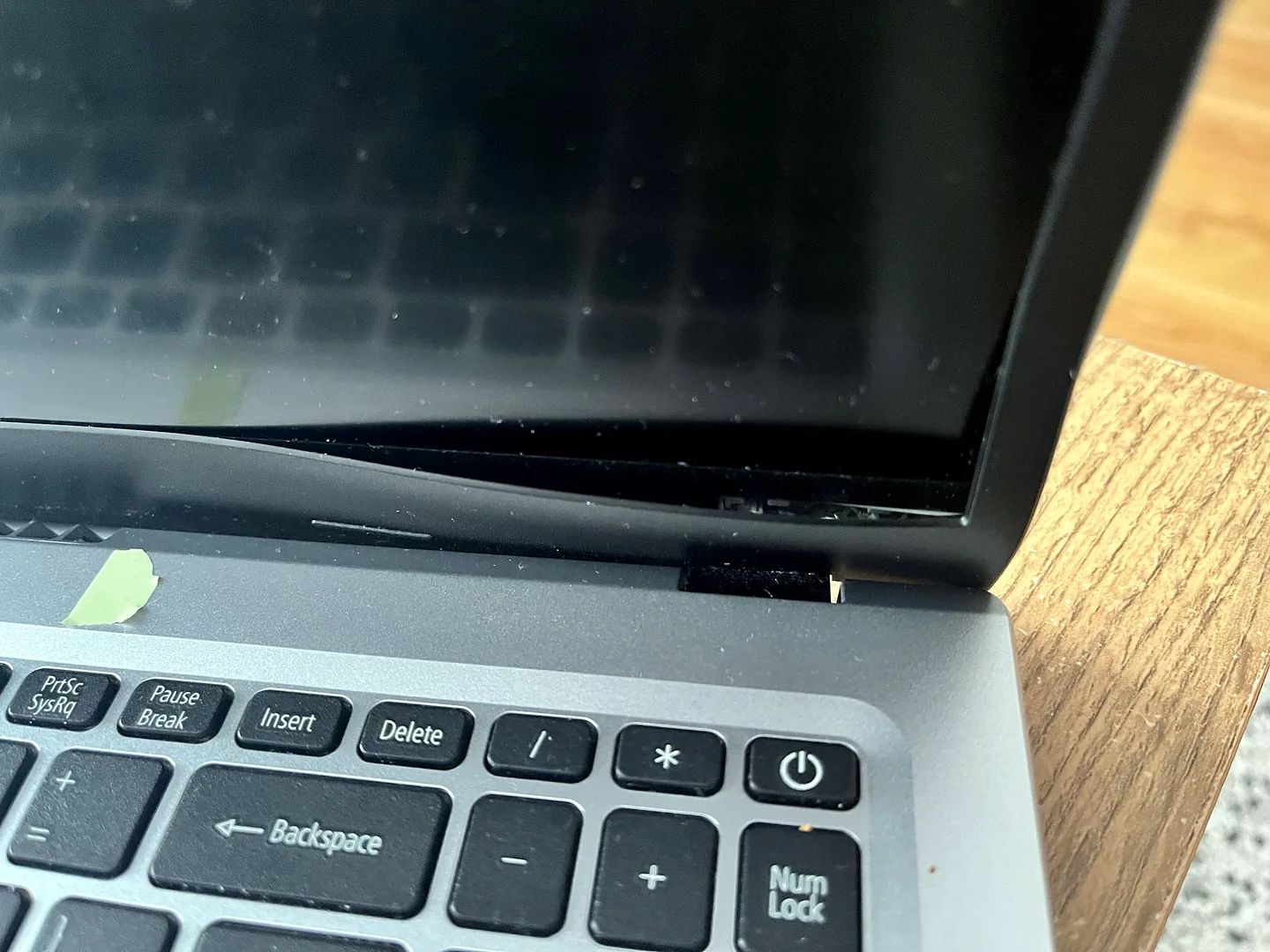
- Bent lid or bezel damage
- Pinched display cable
- Impact damage to the screen
Safe checks before repair
Protect important files first where the device remains stable. Stop after liquid, smoke, battery swelling, burning smells or signs of a failing drive.
- Stop moving the lid
- Photograph where the case separates
- Check for screen flicker without forcing movement
- Find the exact model number
- Mention any drop or previous repair
- Back up files if safe
Possible repair routes
The correct route depends on the confirmed cause, exact model, data requirements and whether a reliable repair remains economical.
- Hinge replacement
- Mount reinforcement
- Casing or lid replacement
- Display cable repair
- Screen replacement if damaged
What changes the quote
A headline price cannot account for every model, part and level of damage. These are the main factors that need confirmation.
- Number of damaged structures
- Availability of model-specific casing
- Whether screen and cable are affected
- Labour to disassemble and reinforce
- Part warranty
Not sure whether the LCD panel must be replaced too? Read our guide: Can a broken laptop hinge be repaired without replacing the screen?
Frequently asked questions
Is it cheaper to repair the hinge early?
Usually, because continued movement can damage the screen, cable and additional casing.
Can broken plastic mounts be rebuilt?
Some can be reinforced, while others require replacement casing. Inspection decides the reliable method.
Why is the laptop corner lifting?
The hinge may be pulling broken internal mounts away from the case.
Can I use the laptop with the lid left open?
It may reduce movement, but the device should still be assessed because internal strain and cable damage can continue.