
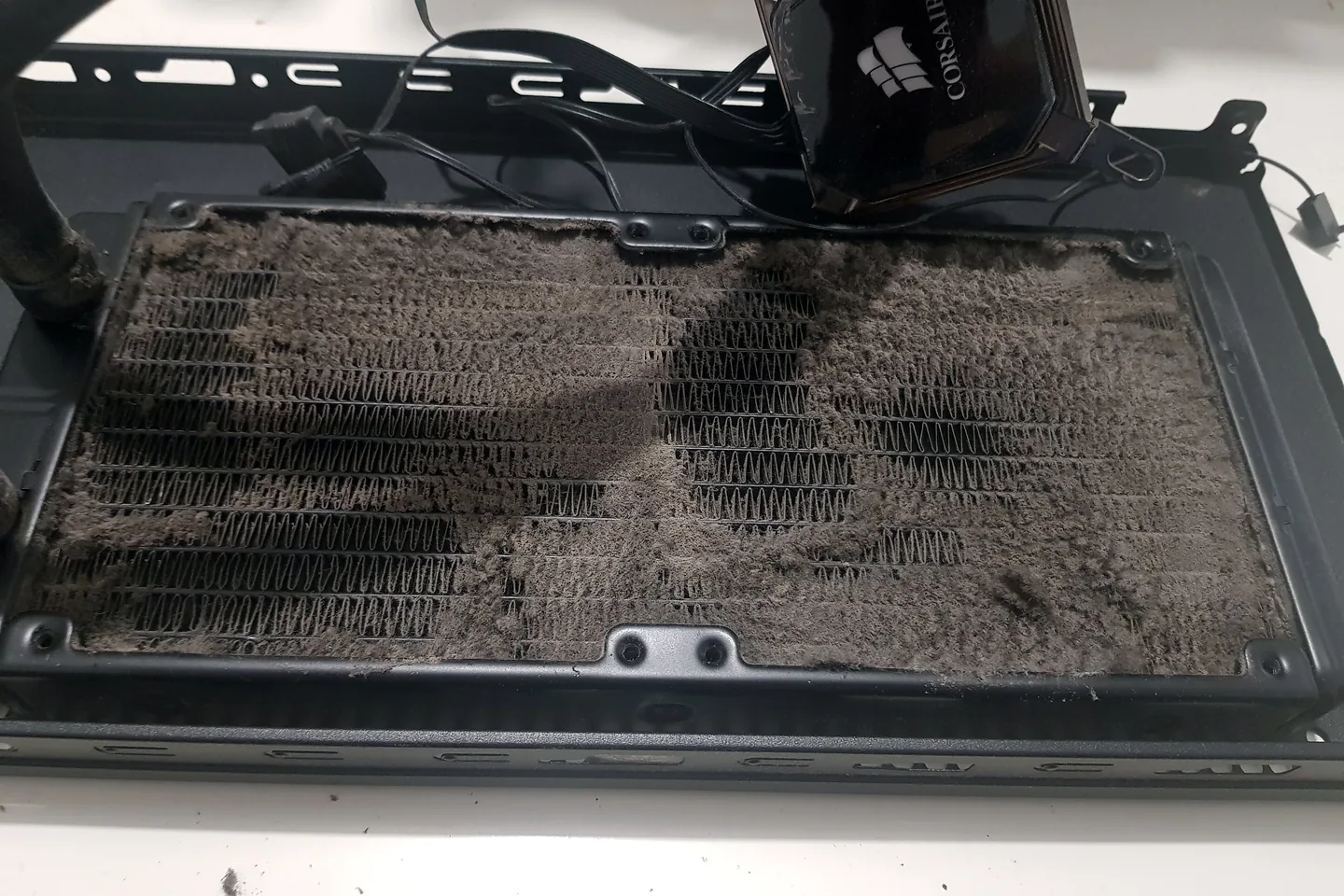
What can cause this problem
Several faults can create the same symptom. The list below is a starting point for diagnosis, not a reason to order parts without testing.
- Blocked vents and dust
- Failed or worn fan
- Poor cooler mounting
- Dried or unsuitable thermal material
- Aggressive power settings or high background load
- Undersized cooling for upgraded hardware
Safe checks before repair
Protect important files first where the device remains stable. Stop after liquid, smoke, battery swelling, burning smells or signs of a failing drive.
- Note idle and load temperatures if reliable tools are already installed
- Check whether every expected fan is spinning
- Make sure vents and filters are unobstructed
- Remove the device from soft bedding or carpet
- Record whether heat began after a hardware change
- Stop repeated stress tests if shutdowns occur
Possible repair routes
The correct route depends on the confirmed cause, exact model, data requirements and whether a reliable repair remains economical.
- Internal cleaning
- Fan or cooler replacement
- Thermal-contact correction
- Airflow and fan-curve adjustment
- Hardware and power diagnosis when heat is not the only cause
What changes the quote
A headline price cannot account for every model, part and level of damage. These are the main factors that need confirmation.
- Laptop versus desktop access
- Fan or cooler part
- Liquid-cooling condition
- Additional damaged component
- Time required for load testing
Thermal paste or a bigger CPU cooler?
If the overheating is mainly on a gaming desktop, use our thermal paste vs CPU cooler guide for an overheating gaming PC before replacing parts. It explains how to separate poor thermal contact, an undersized cooler, a failed AIO pump and case-airflow problems.
Frequently asked questions
Is 80 degrees always too hot?
It depends on the component, workload and manufacturer limits. Throttling, noise and stability provide more context than one number.
Can overheating reduce gaming performance?
Yes. Components can lower clock speeds to protect themselves.
Will a laptop cooling pad fix the cause?
It may help airflow, but it does not repair blocked internal cooling, a failed fan or poor thermal contact.
Should thermal paste be changed every year?
Not as a fixed rule. Service should be based on temperature, condition and design rather than a calendar alone.


