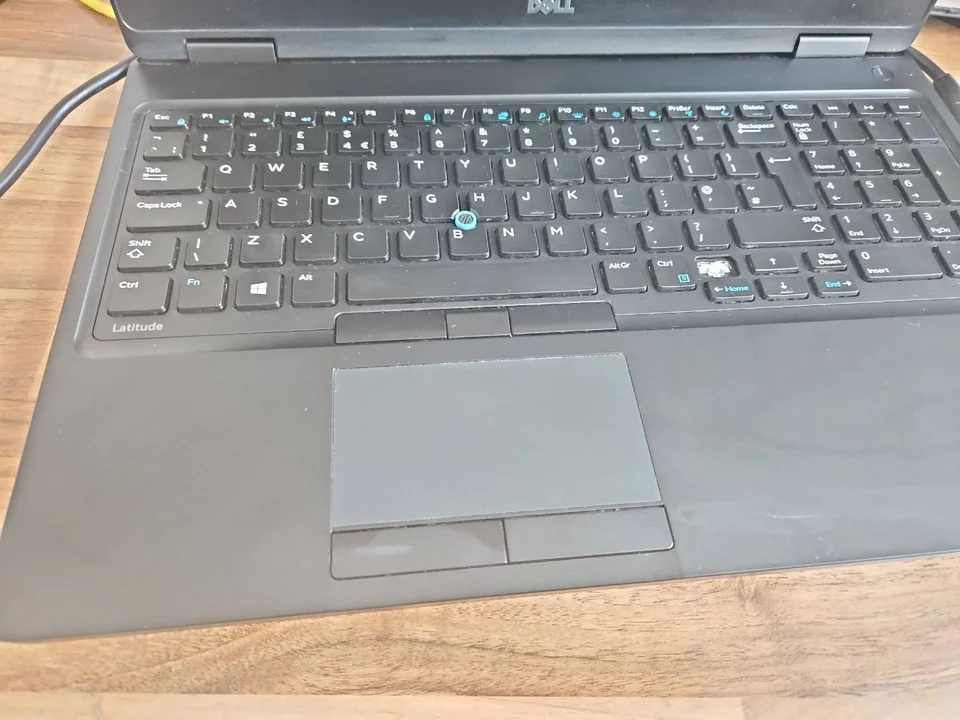
When a laptop keyboard stops working, the pattern matters. One missing key is different from a row of dead keys or a keyboard that types the wrong symbols. Diagnosing the pattern first can prevent an unnecessary full replacement.
Laptop keyboard not working: the quick diagnosis
| Symptom | What it may indicate | Sensible next step |
|---|---|---|
| One missing or damaged key | Keycap, scissor mechanism or mounting damage | Check whether the exact key parts and mounts are intact |
| Several keys in one row or area | Membrane track, ribbon cable, connector or liquid damage | Test the pattern before replacing parts |
| The whole keyboard is unresponsive | Connection, Windows, firmware or complete keyboard fault | Compare behaviour outside Windows and with an external keyboard |
| Sticky or repeating keys | Contamination, wear or liquid residue | Stop forcing the keys and record any spill history |
| Wrong symbols appear | Incorrect keyboard layout or language setting | Confirm the United Kingdom layout in Windows |
One missing or damaged key
A loose keycap does not always mean the full keyboard has failed. Check the keycap, scissor hinge and retaining points. If the mounts beneath the key are broken, another cap may not stay secure.
Several keys in the same row or area
Grouped failures point beyond one key. A membrane track, ribbon cable, connector or contamination can affect keys that share the same circuit. Record exactly which keys fail.
The whole keyboard is unresponsive
A dead keyboard can be caused by hardware, a loose cable, firmware or Windows. An external USB keyboard is a useful comparison, but it does not prove whether the internal keyboard, cable or connector has failed.
Check for a Windows or keyboard-layout fault first
If keys produce the wrong characters, check the active Windows layout. A United States layout places some symbols differently from a United Kingdom keyboard. Also review Filter Keys and Sticky Keys if the fault began after a shortcut was pressed.
Restart the laptop and note whether the keyboard works at sign-in or in the manufacturer's startup menu. Check whether a driver or Windows change coincided with the fault. Back up important files before major software changes.
Useful comparison: The Windows on-screen keyboard and an external USB keyboard can help you keep working. They can narrow the fault, but neither proves which internal part has failed.
When one laptop key may be repairable
A single key may be repairable when the correct keycap and hinge are available and the keyboard's mounting points are undamaged. Laptop key mechanisms vary by model, even where the keys look similar. The replacement must match the shape, clips and position. Glue is not a reliable repair because it can lock the mechanism, spread beneath nearby keys or make a later proper repair more difficult.

When the complete keyboard needs replacement
Complete replacement is more likely when the membrane is damaged, many keys fail, liquid has spread through the keyboard, or the backlight has failed. Some laptops use a separate keyboard. Others build it into the palm-rest, so the replacement may include the touchpad surround and other fitted parts.
Backlit models normally need an exact compatible assembly. Layout, connector position, backlight cable, frame and model revision all matter. A keyboard that physically fits can still be wrong.
Keyboard cable and motherboard connector faults
The keyboard usually connects through a thin ribbon cable secured by a small locking connector. A loose cable, damaged contact or broken connector can imitate a failed keyboard. These parts are delicate, so forcing the lock or repeatedly reseating the cable without the correct procedure can turn a repairable fault into board damage.

Sticky keys and liquid-damaged keyboards
Sticky keys may be caused by wear, crumbs or dried drink residue. Do not flood the keyboard with cleaner or keep pressing a key that feels mechanically jammed. If tea, coffee, water or another liquid was spilled recently, switch the laptop off, disconnect the charger and avoid repeated power-on tests. Liquid can travel beyond the keyboard to the battery, connectors or motherboard.
How PC Repair Guru diagnoses the correct repair
The assessment starts with the exact model, layout and symptom pattern. Key response is compared inside and outside Windows where practical. The mechanism, ribbon cable, connector and signs of liquid or casing damage are checked before a part is ordered.
- Confirm the United Kingdom layout and backlight requirement
- Record the failed or repeating keys
- Check the part number and connector position
- Identify keyboard-only or palm-rest replacement
- Inspect casing and board connections where needed
Review the wider laptop repair service in Birmingham, the main computer and laptop repair service, or local information for Small Heath and Perry Barr.
What affects price and turnaround
The quote depends on the model, whether one key is repairable, and whether the keyboard is separate or built into a palm-rest. Parts availability, liquid damage, connector work and previous repairs also matter. The repair route and cost are confirmed before chargeable work begins.
Arrange laptop keyboard diagnosis in Birmingham
Bring the laptop, charger and any loose key parts. Note which keys fail, whether an external keyboard works, whether wrong symbols appear and whether there was a spill. Call 0121 679 9865 or use WhatsApp to arrange a Small Heath workshop appointment.
If the keyboard works but the pointer or click does not, our touchpad diagnosis guide separates an input setting from a physical fault.
Keyboard shortcuts and privacy controls can also affect the camera. Our webcam diagnosis guide separates these settings from cable or camera faults.
When audio is also affected, do not assume the keyboard and speakers have independently failed. Our no-sound guide starts by identifying the selected audio output.
Frequently asked questions
Can one laptop key be replaced without changing the keyboard?
Sometimes. It depends on whether the keycap, hinge mechanism and mounting points are intact and whether the correct parts are available.
Why have several laptop keys stopped working together?
Keys grouped in one row or area can indicate a membrane, ribbon-cable, connector or liquid-damage fault.
Why does my keyboard type the wrong symbols?
Check that Windows is using the correct United Kingdom keyboard layout before replacing hardware.
Can a liquid spill damage only the keyboard?
It can, but liquid may also reach the battery, connectors or motherboard, so internal inspection may be advisable.
Does a backlit keyboard need an exact replacement?
Usually yes. Layout, connector, backlight type, frame and model compatibility must match.
How long does laptop keyboard replacement take?
It depends on diagnosis, part availability and whether the keyboard is separate or built into the palm-rest assembly.