Battery drains quickly
The laptop runs away from mains power, but usable time has fallen sharply compared with normal use.

Laptop battery replacement Birmingham
Battery diagnosis and replacement for laptops with poor battery life, random shutdowns, charging warnings or swelling. The exact model is checked before a replacement part is ordered.
Free general diagnosis · Quote before work · Parts warranty depends on the battery manufacturer
Diagnosis before replacement
A laptop that will not charge does not automatically need a new battery. The charger, charging socket, USB-C input, motherboard power circuit and Windows battery reporting can create similar symptoms. Testing those areas first reduces the risk of ordering the wrong part. For other laptop faults, start with our laptop repairs in Birmingham service.

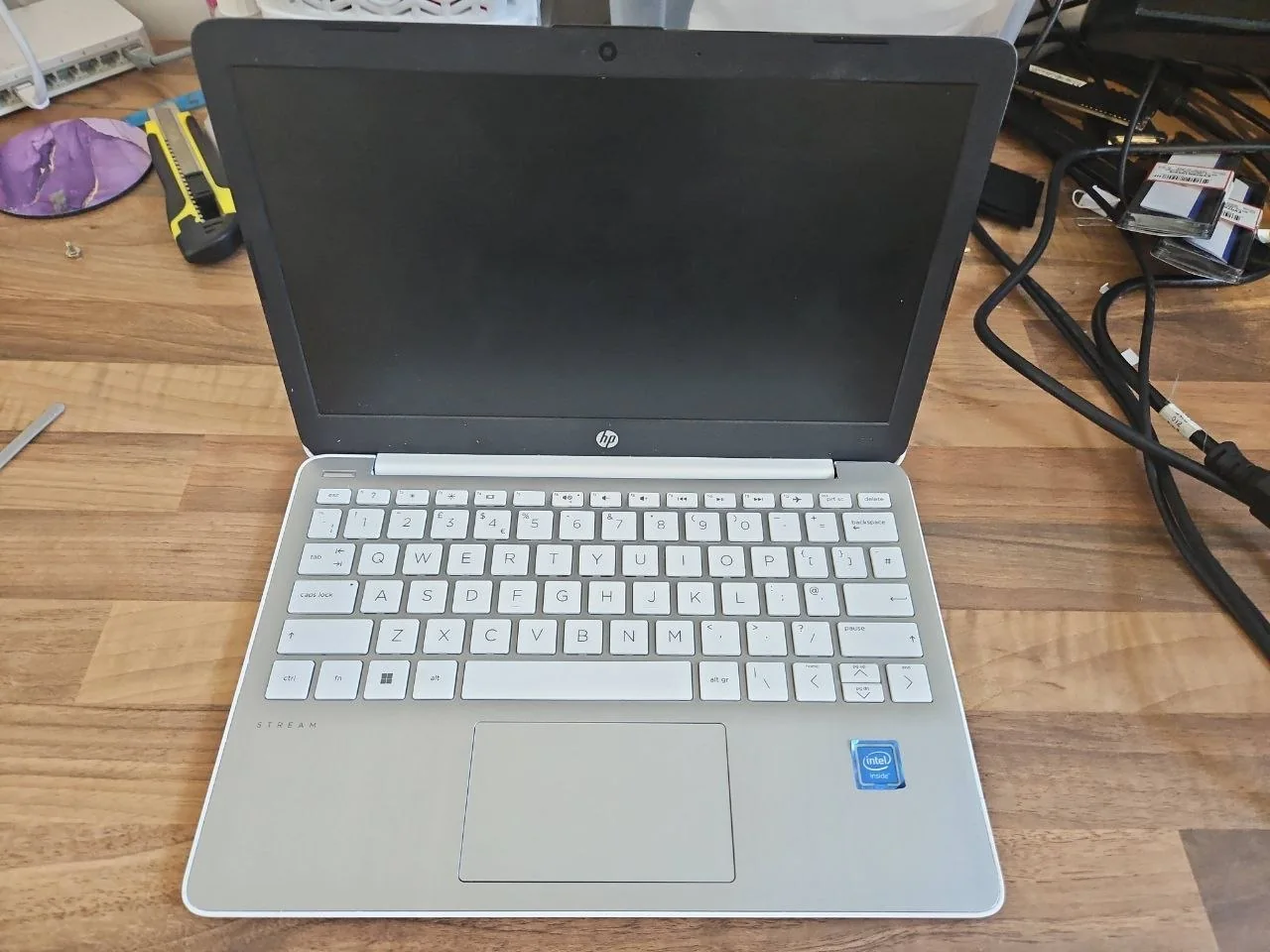
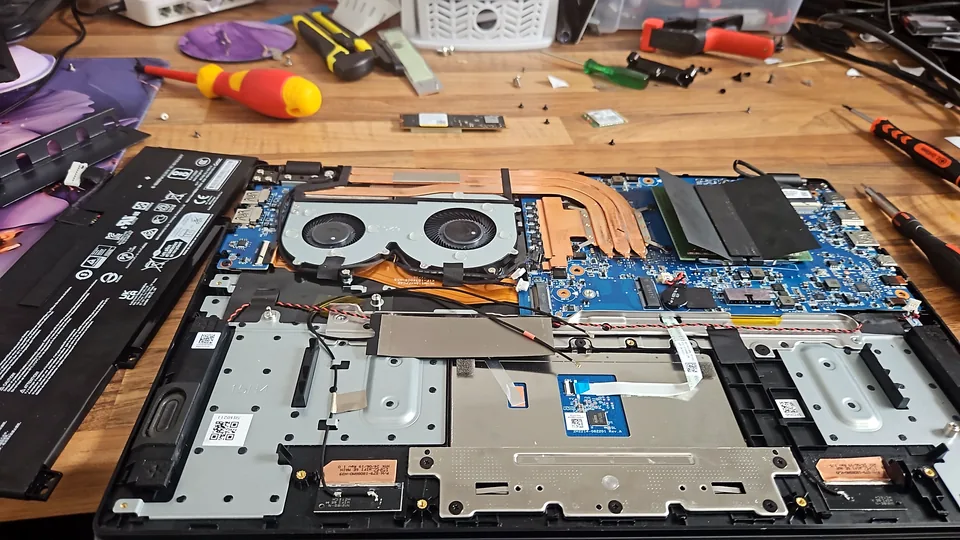
HP Stream laptop opened for internal battery inspection at PC Repair Guru in Birmingham.
The laptop runs away from mains power, but usable time has fallen sharply compared with normal use.
The battery may not be holding charge, but charger and power-input testing should come first.
A weak battery can cause shutdowns under load, although heat, memory, storage and motherboard faults can look similar.
Windows or the BIOS may report that no battery is present because of the battery, cable, connector or firmware.
A low percentage, slow charging or repeated charging warnings may involve the battery, adapter or power-management circuit.
Stop using the laptop and arrange an assessment. Do not press the casing back into place or puncture the battery.
Battery safety
A swollen battery can distort the keyboard, touchpad, base or screen casing. Do not apply pressure, bend the laptop, puncture the cell or try to force the case closed.
HP recommends discontinuing use of a notebook with battery swelling until the battery can be replaced. Microsoft also advises stopping use when an expanded battery pushes beyond the device enclosure.

How the service works
Provide the exact laptop model, what the battery is doing and whether the original charger is available.
The battery condition, charger, charging port and relevant power circuitry are checked before a part is recommended.
The replacement specification, availability, price and applicable manufacturer warranty are explained before ordering.
The battery is fitted, the laptop is reassembled and charging, detection and basic unplugged operation are tested.
Real battery-replacement checks
Two laptops that look alike can use different battery shapes, voltages, connectors or mounting points. These workshop photographs show the identification and inspection steps used before a compatible part is ordered.
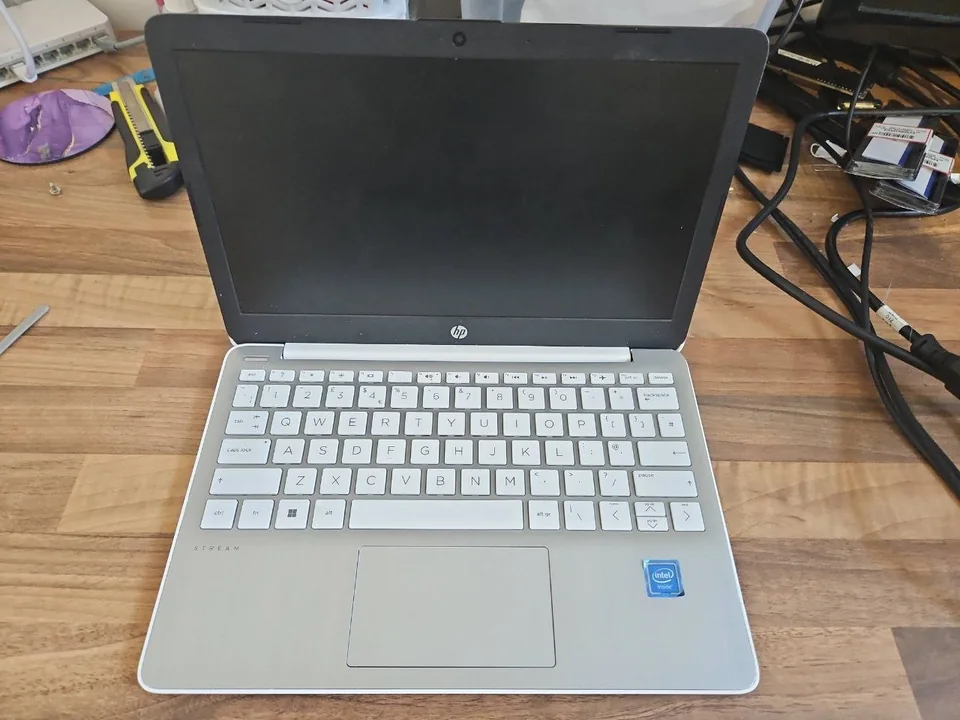
HP Stream laptop photographed at the start of the battery assessment so its condition and supplied accessories can be documented.
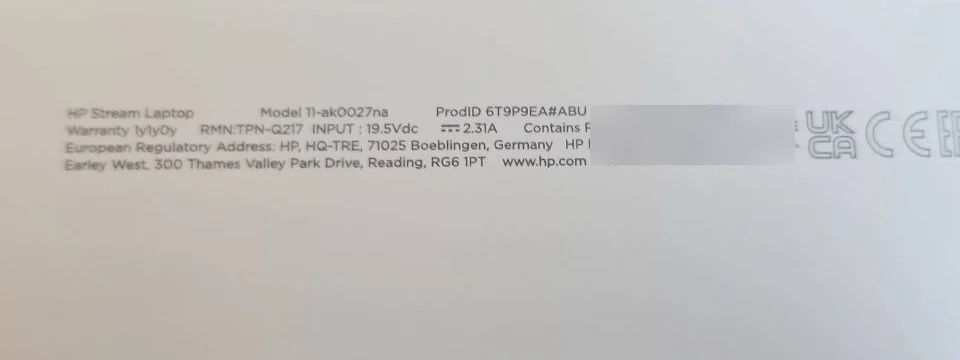
The model label is checked because the product family alone is not enough to guarantee battery compatibility. The unique serial number has been obscured in this public image.
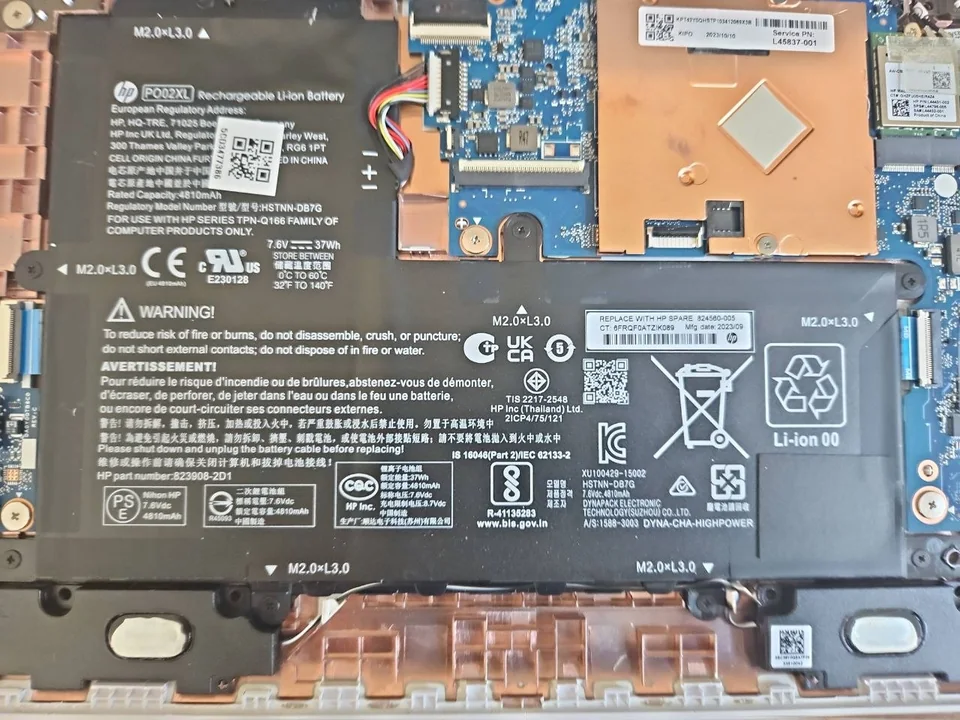
Part number, voltage, physical shape, cable position and connector type are checked before a replacement is approved.
What affects the quotation
A reliable price needs the exact model and condition. A headline price without checking the battery and laptop can be misleading.
Capacity, voltage, connector, mounting points and firmware support must match the laptop.
Some batteries are straightforward to reach; others require substantial disassembly or removal of bonded components.
Age, model variation and supplier stock affect the price and turnaround for the correct replacement.
Swelling may damage the touchpad, keyboard, base, cables or casing and can change the repair route.
Battery health and replacement decisions
Where Windows still starts, a battery report can provide information about the installed battery, recent use and estimated capacity. It is useful evidence, but physical condition, charging behaviour and manufacturer diagnostics still matter.
Microsoft documents the built-in powercfg /batteryreport command for generating a battery report in Windows. PC Repair Guru can combine that information with physical and electrical checks where appropriate.
Read Microsoft battery-care guidance
The quotation will identify the available replacement option. Warranty periods for supplied batteries depend on the part and manufacturer. No blanket one-year parts promise is made where the supplier offers a different warranty.
Battery repair guides

Repair guide
Laptop won't turn on? Separate charger, battery, charging-port, black-screen and startup faults safely before arranging laptop repair in Birmingham.
Read guideRepair guide
Laptop power light comes on then goes off? Separate charger, battery, startup, cooling and hardware protection faults before repair in Birmingham.
Read guide
Repair guide
Laptop battery draining fast? Check battery health, power use and capacity, when replacement helps, and when another fault needs diagnosis in Birmingham.
Read guideRelated laptop services
Diagnosis for laptop power, startup, display, storage, keyboard, battery and motherboard faults.
View service
Testing for loose sockets, intermittent charging, damaged USB-C ports, chargers and board-level power faults.
View service
Diagnosis when the device has no lights, no display, intermittent power or shuts down during startup.
View serviceFrequently asked questions
The cost depends on the exact laptop model, battery specification, access required and part availability. The model is checked and a quote is provided before a battery is ordered or chargeable work begins.
Similar symptoms can be caused by the battery, charger, charging port, USB-C power circuit or motherboard. The charger and power input should be tested before a replacement battery is recommended.
Many internal laptop batteries can be replaced. The laptop must be opened safely, the correct battery identified and the replacement checked for fit, voltage, connector and firmware compatibility.
Stop using the laptop, disconnect it from mains power and avoid pressing, puncturing or forcing the casing closed. Arrange an assessment before continuing to use or charge the device.
A normal battery replacement should not require files to be opened or erased. Important data should still be backed up where possible because every device can have an unrelated storage fault.
The main variable is availability of the correct battery. Once the right part is available, selected replacements may be completed quickly, while the usual overall turnaround is one to three working days.
Send the exact model
Call or WhatsApp with the laptop model, the charging symptoms and a clear photograph of the model label. The likely repair route and quotation can then be discussed.