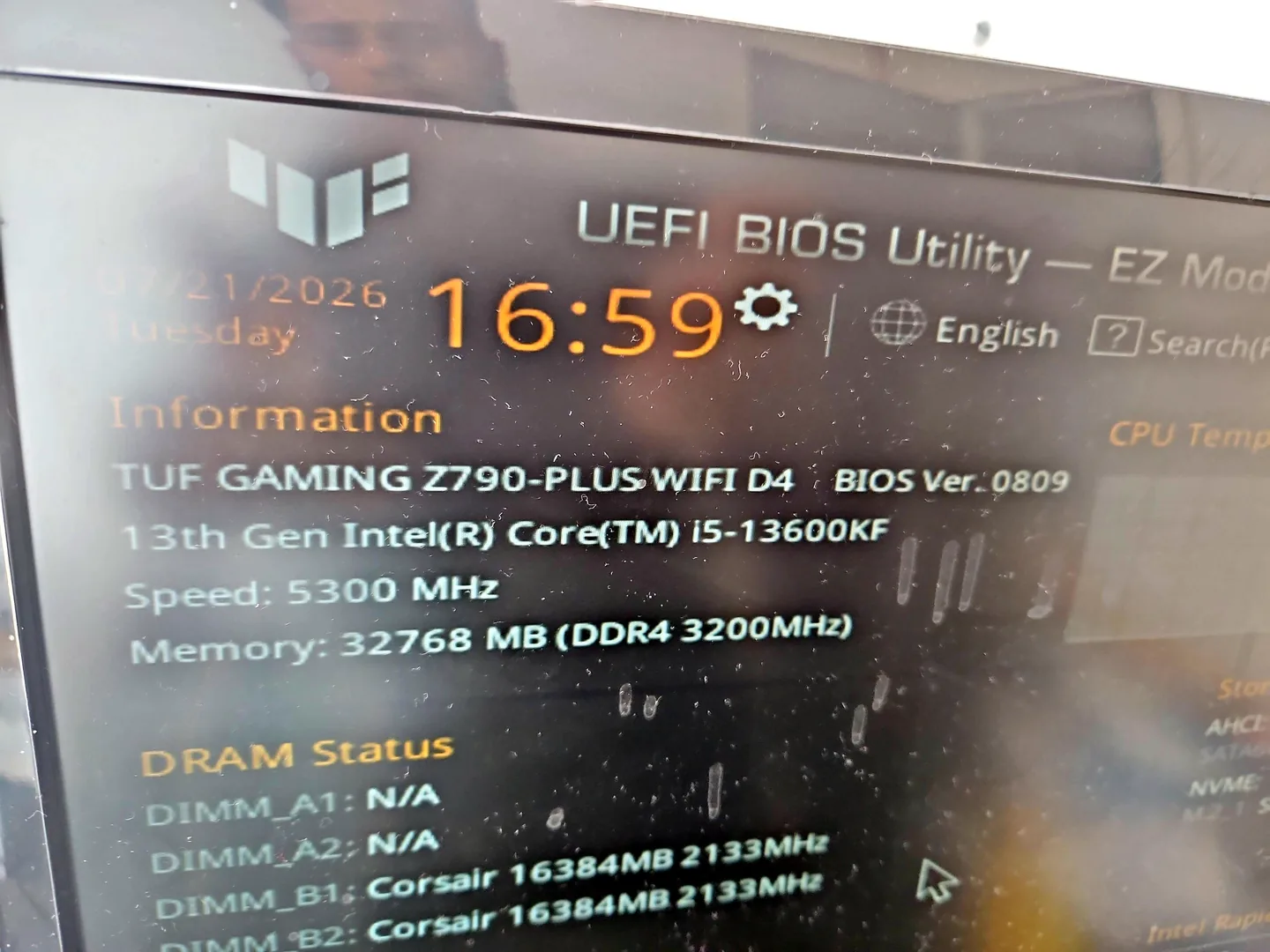
What can cause this problem
Several faults can create the same symptom. The list below is a starting point for diagnosis, not a reason to order parts without testing.
- Damaged or incompatible driver
- Failing memory
- Storage errors or Windows corruption
- Overheating or power instability
- Aggressive overclock or memory profile
- Faulty recently installed hardware
Safe checks before repair
Protect important files first where the device remains stable. Stop after liquid, smoke, battery swelling, burning smells or signs of a failing drive.
- Photograph the stop code and file name
- Note whether it happens at startup or under load
- Disconnect recently added non-essential hardware
- Return overclocking to stable defaults
- Back up important files if the system remains usable
- Check Reliability Monitor for the event pattern
Possible repair routes
The correct route depends on the confirmed cause, exact model, data requirements and whether a reliable repair remains economical.
- Driver cleanup and update correction
- Memory and storage testing
- Windows repair or clean installation
- Cooling and power diagnosis
- Replacement of confirmed failing hardware
What changes the quote
A headline price cannot account for every model, part and level of damage. These are the main factors that need confirmation.
- Whether the fault is intermittent
- Data backup needs
- Hardware parts required
- Windows setup and software reinstall
- Time needed for stability testing
Frequently asked questions
Does a stop code identify the failed part?
Not always. It points to an error class, but the same code can have more than one cause.
Can RAM cause blue screens?
Yes. Memory instability can create varied stop codes and file corruption.
Should I reinstall Windows immediately?
Not before checking storage health and backing up important data.
Can a gaming PC blue screen from XMP or EXPO?
Yes. Memory profiles can be unstable even when the computer starts normally.